dufs-shadcn-assets
dufs 前端主题 · 开源 · MIT dufs UI Theme · Open Source · MIT

重新定义
文件服务器的颜值
A Modern Face
for Your File Server

基于 shadcn/ui 打造的 dufs 前端主题 — 1132 个 VS Code 图标、30+ 格式预览、双视图模式、完全离线可用,构建产物仅为单个 HTML 文件。 A shadcn/ui-powered frontend theme for dufs — 1,132 VS Code icons, 30+ format previews, dual view modes, fully offline capable, all in a single HTML file.

1,132
文件类型图标File Type Icons
30+
预览格式Preview Formats
~20 MB
自包含Self-contained
100%
离线可用Offline Ready

核心特性Core Features

一个主题,覆盖文件管理的所有需求One theme, all your file management needs

🎨

VS Code 图标VS Code Icons

从本地 VS Code 扩展实时解析 1,132 个图标。自动匹配 599 扩展名、1,923 文件名、524 文件夹名,支持多级回退策略。1,132 icons parsed from VS Code extension. Matches 599 extensions, 1,923 filenames, 524 folder names with multi-tier fallback.

📁

双视图模式Dual View Modes

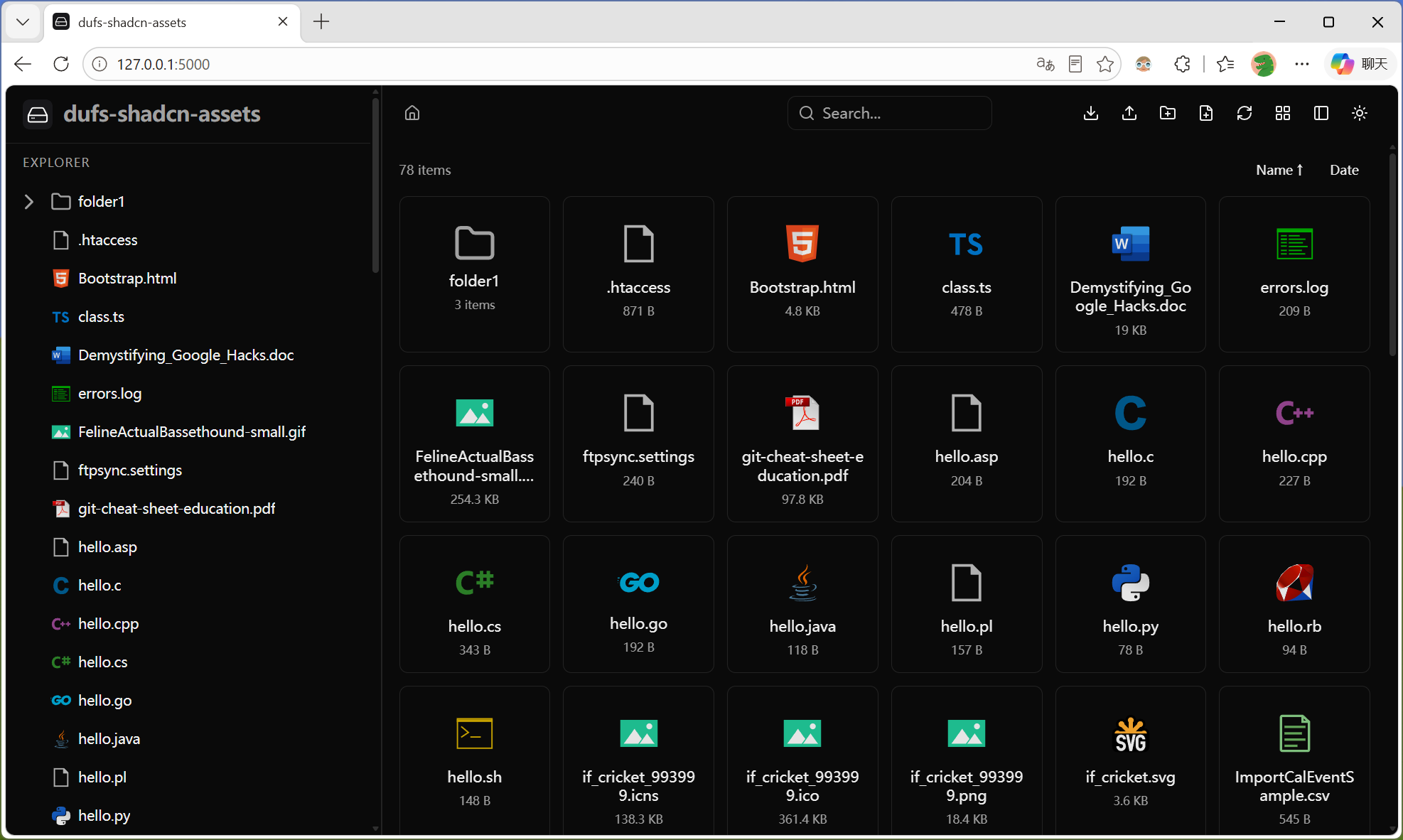
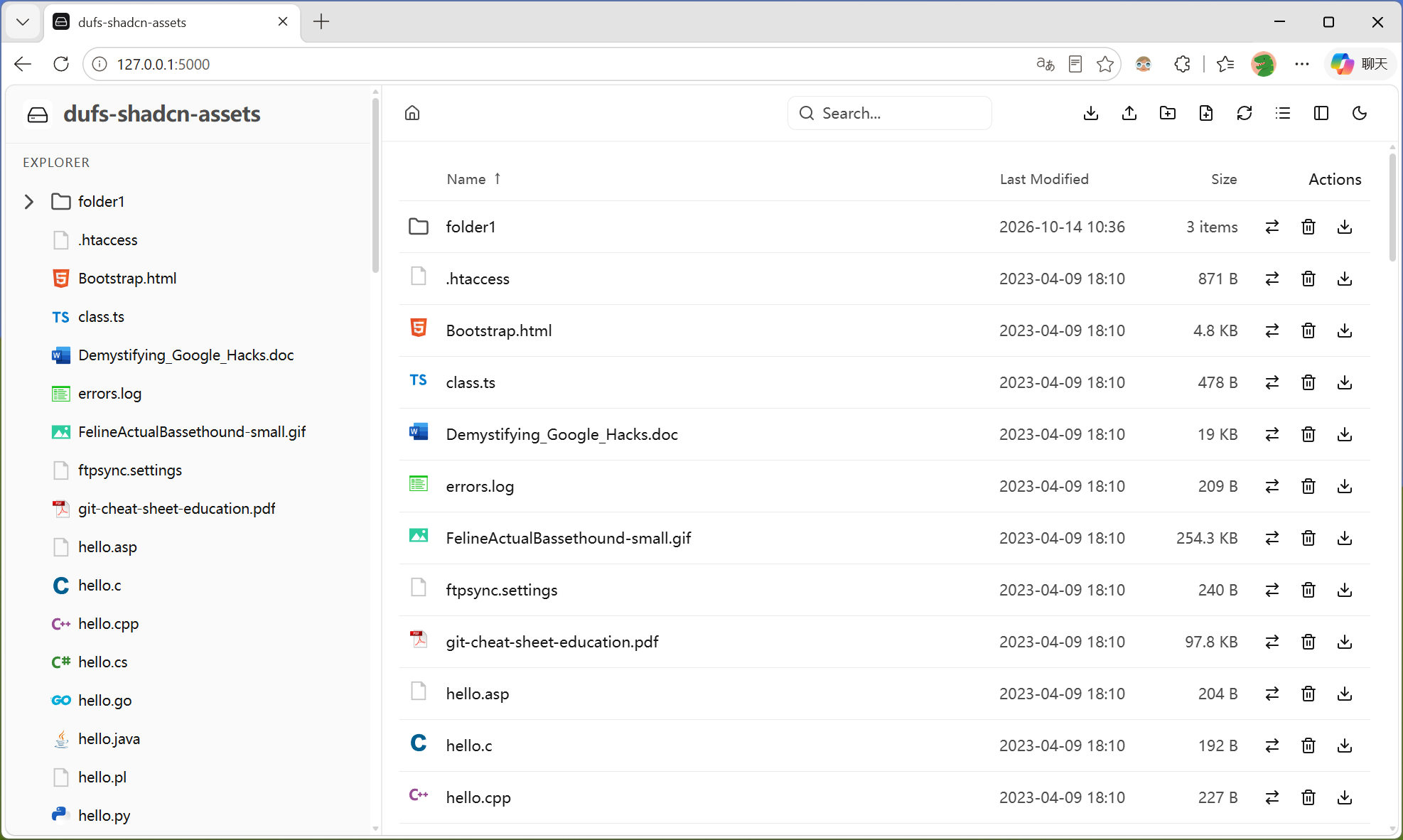
图标网格和表格列表一键切换,通过 config.json 的 view_mode 字段配置默认模式,用户偏好即时生效。Toggle between icon grid and table list. Configure default via config.json — take effect instantly.

📄

富媒体预览Rich File Preview

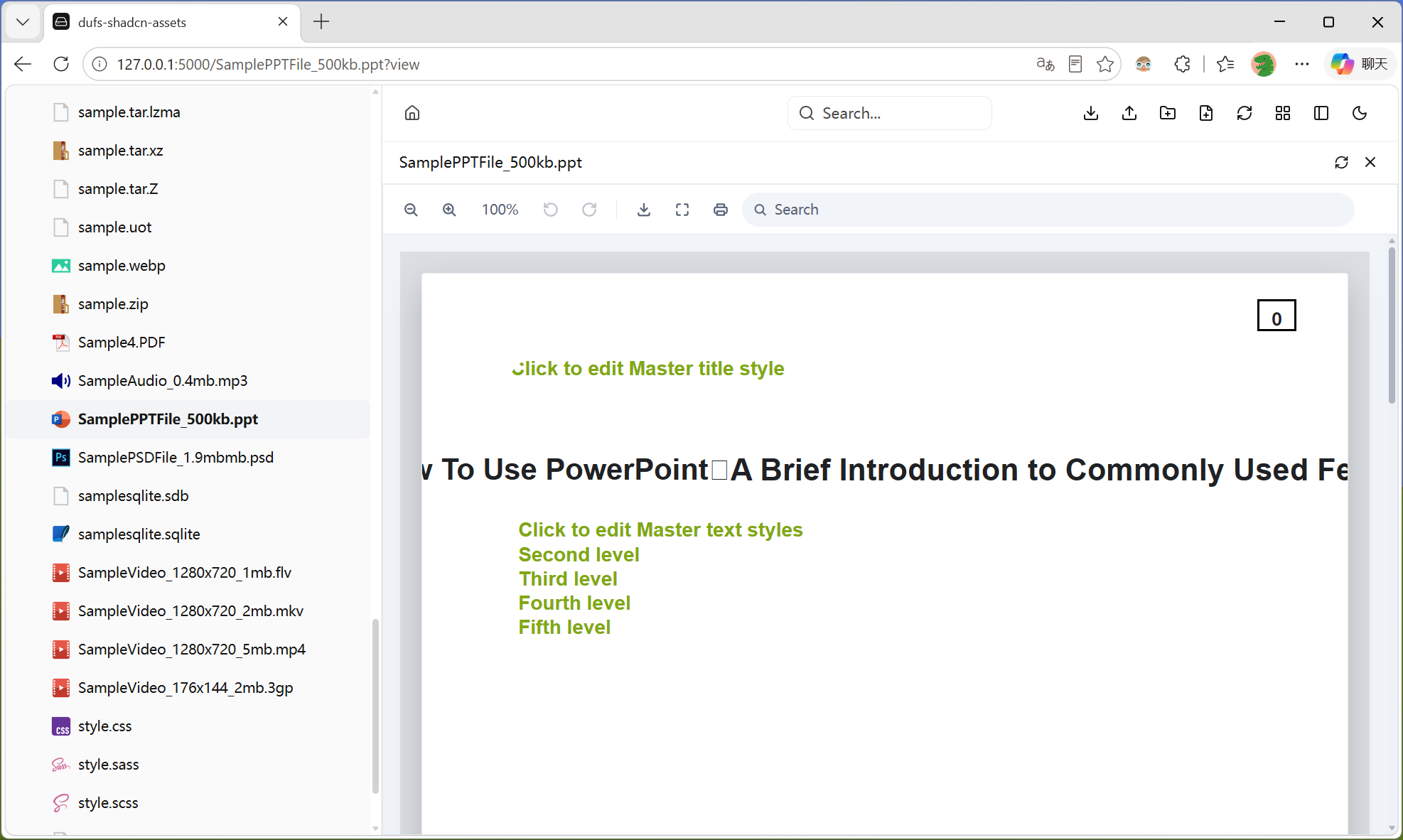
基于 Open File Viewer 支持 30+ 格式:Office (.docx/.pptx/.xlsx)、PDF、图片、视频、音频、3D 模型、CAD、GIS、压缩包、电子书、邮件、XMind 等。30+ formats via Open File Viewer: Office, PDF, images, video, audio, 3D models, CAD, GIS, archives, ebooks, email, XMind and more.

🌳

侧边栏文件树Sidebar File Tree

虚拟滚动 + 懒加载,大数据量目录流畅渲染。主面板导航时自动展开并选中对应节点,支持浏览器前进后退。Virtual scrolling + lazy load. Auto-expands and highlights nodes on navigation. Full browser history support.

⬆️

上传增强Upload Enhanced

队列串行上传、断点续传 (PATCH + Range)、文件夹递归拖拽 (webkitGetAsEntry)、离开保护 (beforeunload)、上传前认证预检。Serial queue, resume (PATCH+Range), folder drag-drop (webkitGetAsEntry), beforeunload protection, auth pre-check.

📝

代码预览 & 编辑Code Preview & Edit

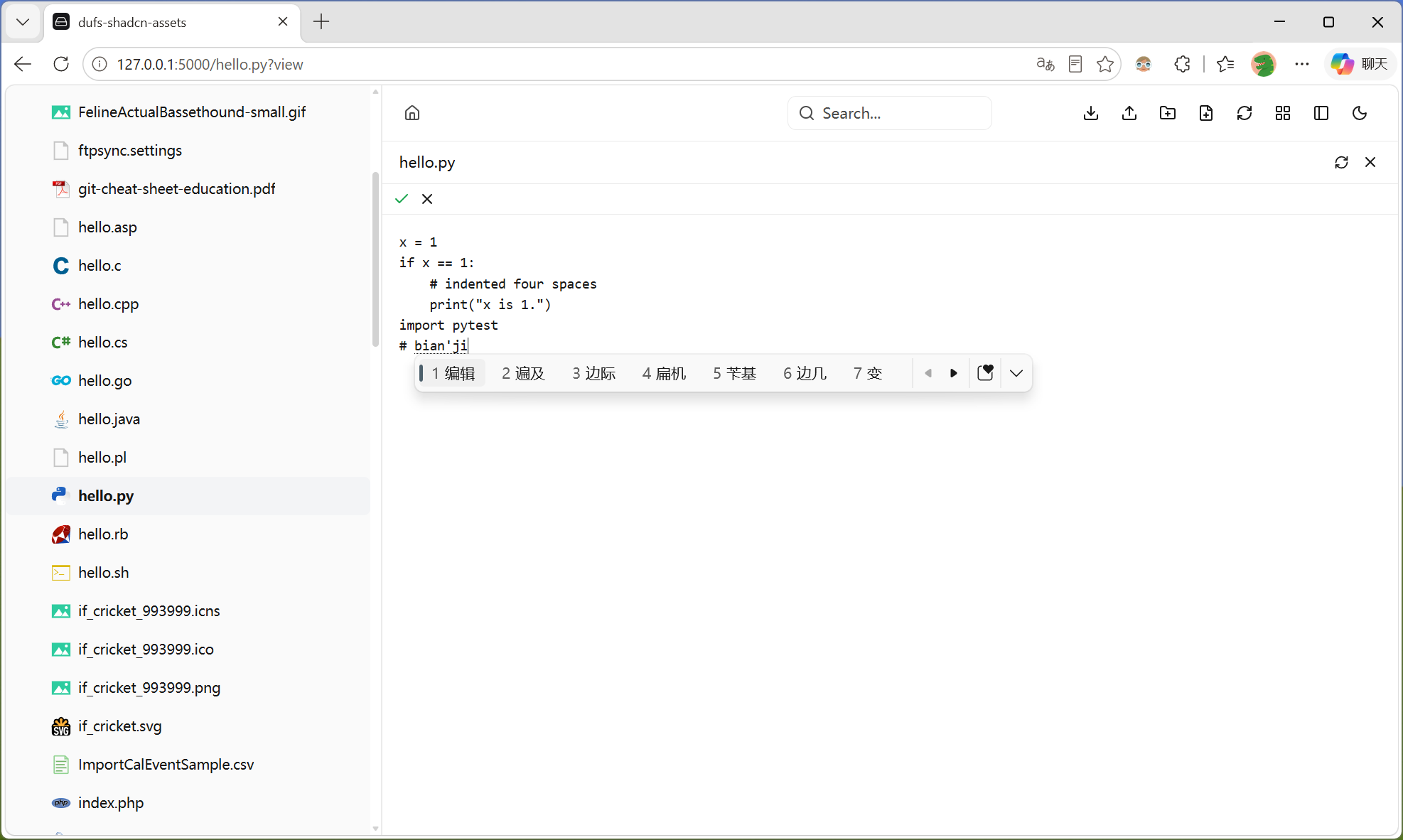
highlight.js 30+ 语言语法高亮,UTF-8/GBK 智能编码检测。在线编辑支持 Ctrl+S 保存、Esc 取消。README.md 自动渲染。30+ language syntax highlighting, UTF-8/GBK detection. Inline edit with Ctrl+S save, Esc cancel. Auto-render README.md.

🌓

双主题系统Dual Theme System

Vercel Geist 设计风格,shadow-as-border 技巧。深浅色一键切换,跟随系统偏好自动检测。Sidebar 独立配色,6px 主题色滚动条。Vercel Geist inspired, shadow-as-border technique. Manual/auto theme toggle. Independent sidebar colors, 6px themed scrollbar.

🔒

认证集成Auth Integration

HTTP Basic Auth 完整支持。Login/Logout 按钮,CHECKAUTH 方法触发认证。下载 token 自动生成,上传前认证预检。Full HTTP Basic Auth. Login/Logout buttons, CHECKAUTH flow. Auto token generation for downloads, pre-upload auth check.

📦

完全离线Fully Offline

vite-plugin-singlefile 单文件构建。所有 JS/CSS/Font/Icon 内联,PDF.js cmaps/standard_fonts 本地化,Leaflet CSS 本地导入,零外部请求。Single-file build with vite-plugin-singlefile. All inline, no CDN. Local PDF.js cmaps, local Leaflet CSS. Zero external requests.

截图展示Screenshots

图标视图 & 列表视图 & 深色模式Icon View & List View & Dark Mode
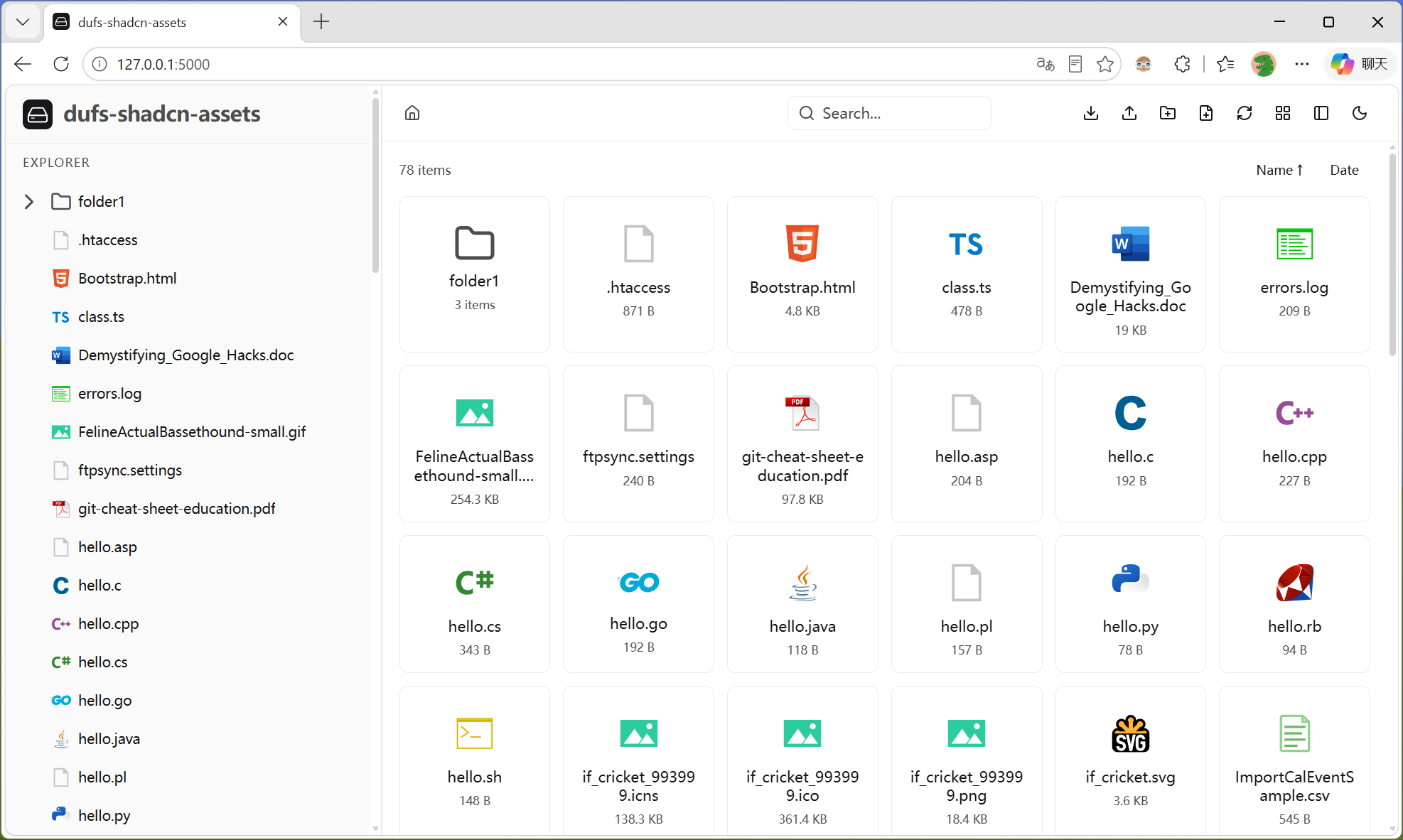
Home
Dark
List

Office 文档预览Office Document Preview

Word · Excel · PowerPoint 文档在线预览,基于 Open File ViewerWord · Excel · PowerPoint preview powered by Open File Viewer
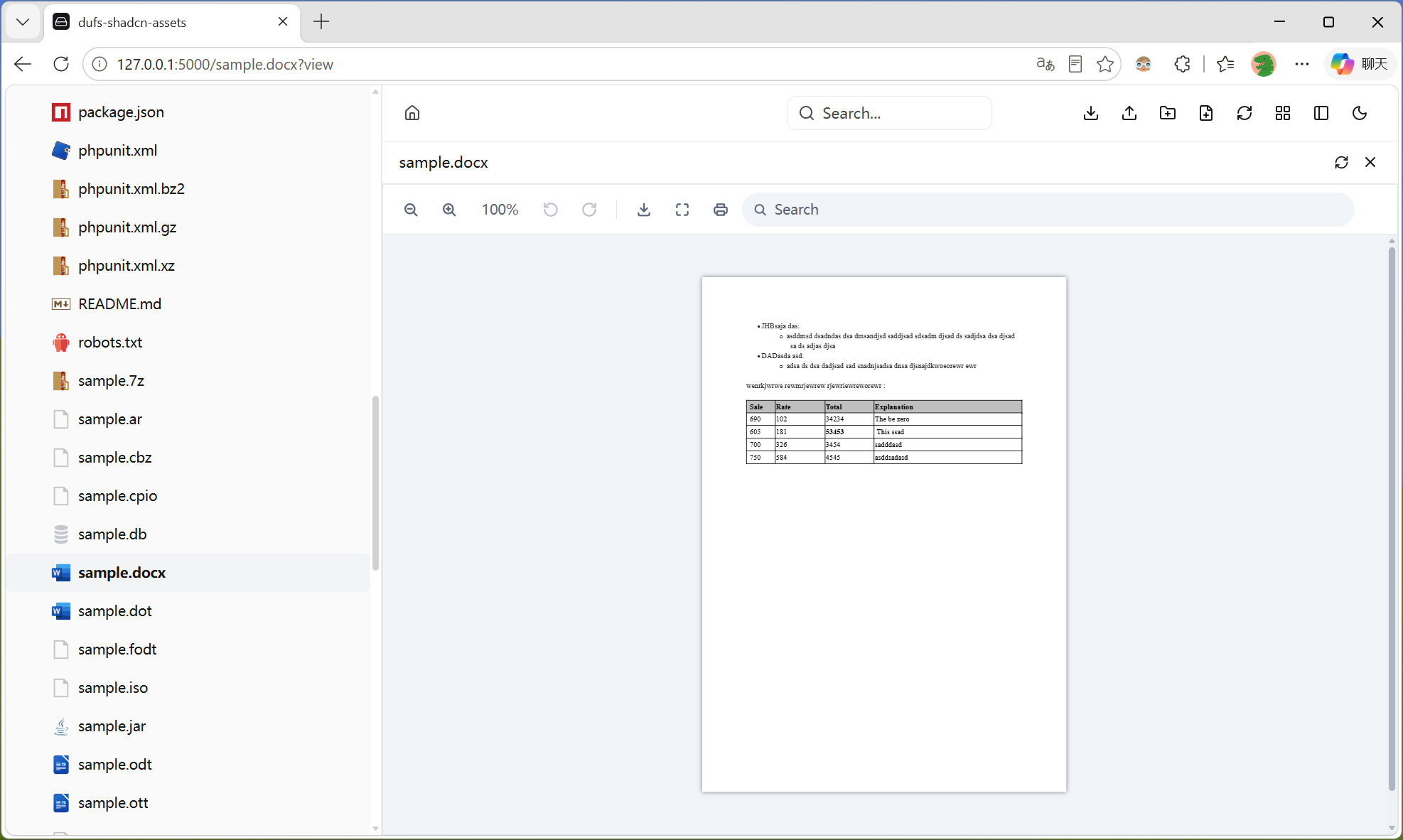
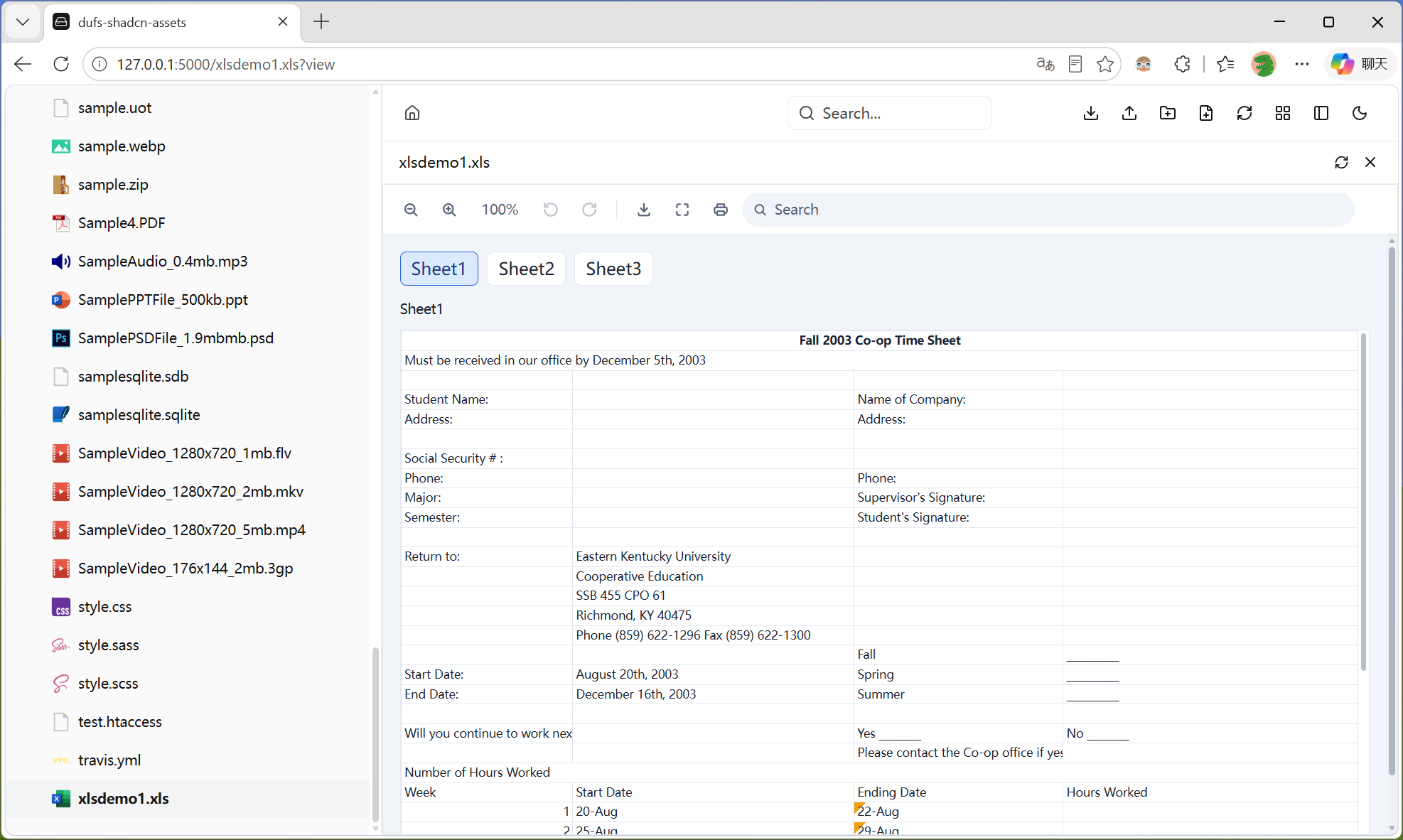
Word
Excel
PPT

代码预览 & 在线编辑 & READMECode Preview & Edit & README

语法高亮、在线编辑、Markdown 自动渲染Syntax highlighting, inline editing, automatic Markdown rendering
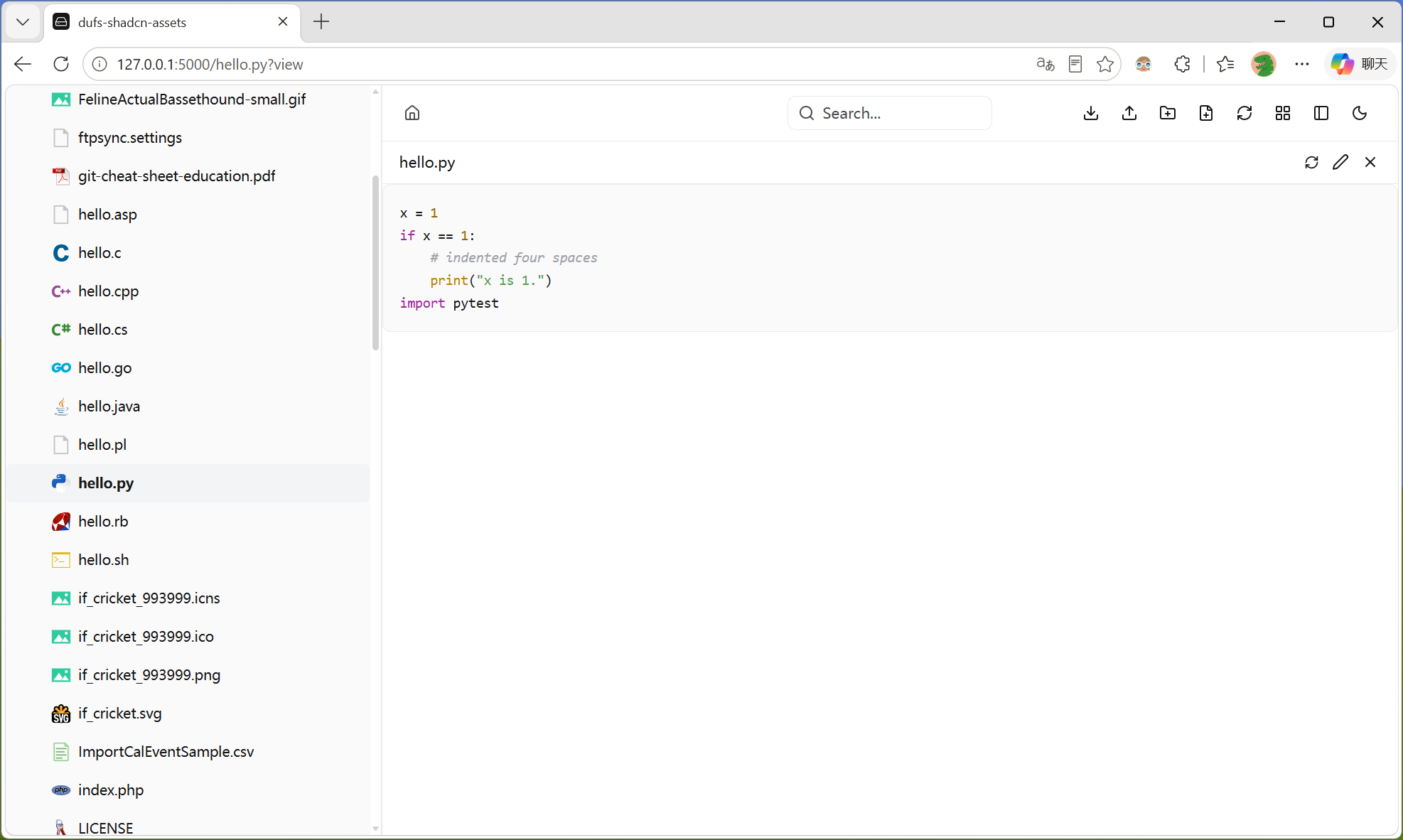
Code
Edit
README

上传增强Upload Enhanced

企业级上传机制,稳定可靠Enterprise-grade upload mechanism, stable and reliable

📥
队列串行Serial Queue逐一处理避免并发One at a time
🔄
断点续传Resume UploadPATCH + Range 续传PATCH + X-Update-Range
📂
文件夹拖拽Folder Drop递归遍历自动创建目录Recursive with MKCOL
🛡️
离开保护Leave Protectionbeforeunload 阻止关闭beforeunload guard
🔐
认证预检Auth Pre-checkCHECKAUTH 自动检测Auto CHECKAUTH

快速开始Quick Start

下载 → 解压 → 启动,三步搞定Download → Extract → Start, three steps

GitHub Releases 下载 dufs-shadcn-assets.zip Download from GitHub Releases
# 1. 解压到任意目录,例如 ./assets1. Extract to any directory, e.g. ./assets unzip dufs-shadcn-assets.zip -d ./assets # 2. 启动 dufs,指定 assets 目录2. Start dufs with assets directory dufs ./serve-path --assets ./assets

配置Configuration

通过 config.json 定制品牌和默认行为Customize branding and defaults via config.json

字段Field类型Type默认值Default说明Description
logo_textstring侧边栏标题 / 浏览器标签页标题Sidebar title / Browser tab title
logostring浅色模式 Logo 路径Light mode logo path
dark_logostring深色模式 Logo 路径Dark mode logo path
logo_sizestring28pxLogo 图片尺寸Logo image size
logo_text_font_sizestring20px标题文字大小Title font size
view_modestringicons默认视图模式 (icons / list)Default view mode (icons / list)
themestringlight默认主题 (light / dark)Default theme (light / dark)